Understanding Tech Neck and Its Impact on Office Workers
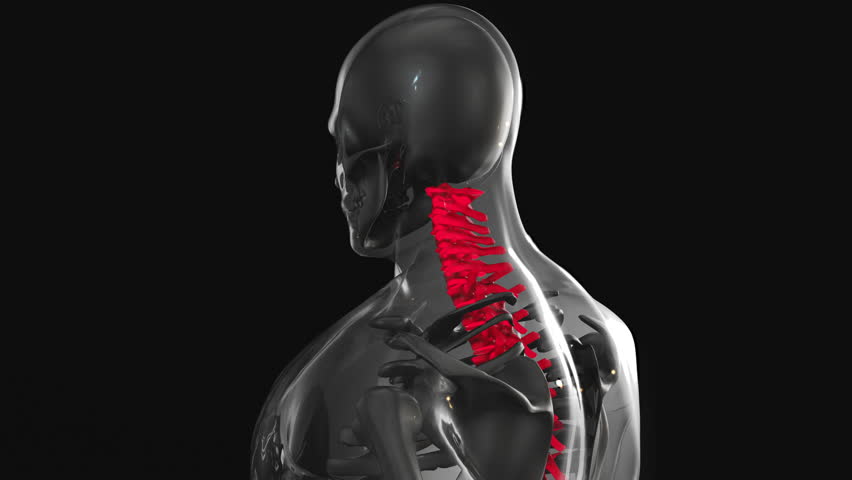
Tech neck, a modern condition caused by prolonged forward head posture while using devices, leads to neck, shoulder, and upper back strain. Office workers spending hours at desks often experience this due to slouching, hunching over screens, or poor ergonomic setups. The constant downward gaze increases pressure on cervical vertebrae, contributing to chronic discomfort. Recognizing this issue is the first step toward proactive relief. Simple adjustments to daily habits can significantly reduce symptoms, improving overall well-being and productivity. Understanding the root causes helps tailor effective solutions, ensuring office environments support healthy posture rather than exacerbate strain.
Key Daily Stretching Routines for Tech Neck Relief
Incorporating targeted stretches into daily routines can alleviate tech neck discomfort. Begin with neck tilts: gently lean your head to each side, holding for 15-30 seconds to release tension. Shoulder rolls, performed in circular motions, help counteract stiffness from hunched positions. The chin tuck exercise—tucking the chin toward the chest while keeping the head level—strengthens neck muscles and corrects forward head posture. Additionally, chest openers, such as clasping hands behind the back and lifting the chest, counteract rounded shoulders. These stretches, done 2-3 times daily, improve flexibility and reduce muscle fatigue, offering immediate relief and long-term posture support.
Posture Correction Techniques for Sustained Relief
Correcting posture throughout the day is crucial for managing tech neck. Start by aligning the ears over the shoulders and the shoulders over the hips, creating a straight line from head to tailbone. Use a supportive chair with lumbar support to maintain the natural spine curve. Adjust monitor height so the top of the screen aligns with eye level, preventing neck strain from looking down. When sitting, keep feet flat on the floor and avoid crossing legs, which can disrupt posture. Regularly check body alignment, especially during long work sessions. These adjustments, paired with mindful movement, reduce cumulative strain and promote a healthier, more comfortable work environment.
Ergonomic Adjustments to Prevent Tech Neck Progression
Optimizing workspace ergonomics is essential for preventing tech neck. Position the computer screen at eye level to avoid tilting the head downward, which strains the neck. Use an adjustable chair that supports the lower back and encourages an upright posture. A standing desk can also help by allowing periodic shifts between sitting and standing. Ensure keyboards and mice are positioned to keep wrists straight, reducing shoulder and neck tension. Proper lighting minimizes squinting, which can contribute to forward head posture. These adjustments create a workspace that prioritizes comfort and health, minimizing the risk of chronic tech neck symptoms.
Integrating Movement to Combat Sedentary Habits
Breaking up prolonged sitting with movement is vital for tech neck prevention. Set reminders to stand and walk every 30-60 minutes, promoting blood flow and muscle engagement. Simple exercises like seated torso twists or leg lifts can be done at a desk to counteract stiffness. Taking short walks during breaks not only reduces strain but also boosts energy levels. Incorporating light physical activity into the workday helps maintain muscle flexibility and posture. Even small movements, when done consistently, can significantly reduce the cumulative effects of a sedentary lifestyle, supporting long-term musculoskeletal health.
When to Seek Professional Guidance for Tech Neck
If self-care routines fail to relieve tech neck symptoms, consulting a chiropractor or physical therapist is advisable. A professional can assess posture, identify underlying issues, and recommend personalized strategies. Chiropractic adjustments may address misalignments contributing to neck pain, while physical therapy offers targeted exercises for strength and flexibility. Early intervention prevents chronic complications and ensures effective treatment. Office workers experiencing persistent discomfort should not ignore these signs. A qualified provider can guide the best approach, combining manual therapies, ergonomic advice, and lifestyle changes for lasting relief.