Understanding Tech Neck and Its Impact on Remote Workers
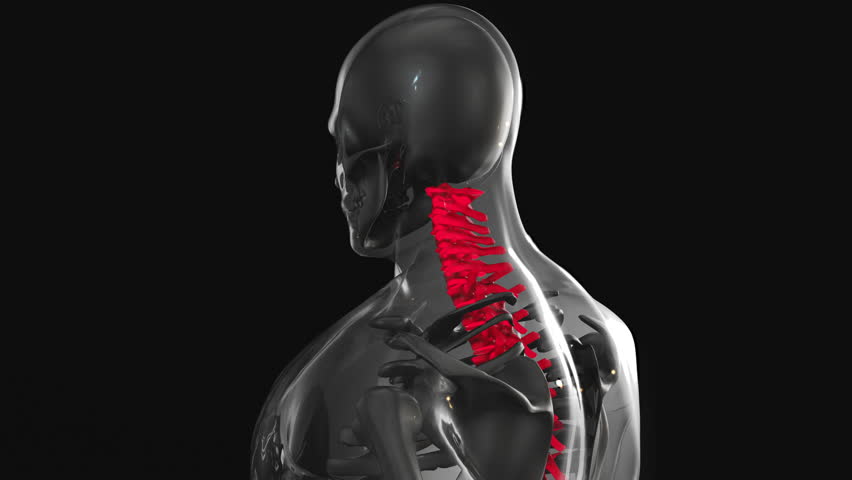
Tech neck, a modern posture-related condition, occurs when prolonged use of digital devices causes the head to tilt forward, increasing strain on the cervical spine. Remote workers, who often spend hours at desks, are particularly vulnerable. This forward head posture can lead to chronic neck pain, headaches, and even reduced mobility over time. Chiropractors emphasize that ergonomic adjustments are critical to mitigating these risks. By addressing workspace setup and movement habits, individuals can reduce the physical toll of screen time. The goal is to maintain a neutral spine alignment, minimizing unnecessary stress on the neck and shoulders. Understanding the mechanics of tech neck helps remote workers recognize the importance of proactive posture management.
Optimizing Monitor and Device Placement
Proper monitor positioning is foundational to preventing tech neck. The top of the screen should align with the user’s eye level to avoid tilting the head downward. If using a laptop, elevating it with a stand or books can achieve this alignment. For desktop setups, placing the monitor 20-30 inches from the eyes ensures comfortable viewing without straining the neck. Additionally, keeping devices at a consistent height reduces the need for frequent head adjustments. Chiropractors often recommend using a document holder to keep reference materials at eye level, further minimizing neck strain. These simple adjustments help maintain a neutral spine, reducing the risk of chronic discomfort associated with prolonged screen use.
Choosing the Right Seating and Posture
A supportive chair is essential for maintaining proper posture during long work sessions. The chair should provide lumbar support to keep the spine in a natural S-curve, with feet flat on the floor and knees at 90-degree angles. Chiropractors advise against slouching or sitting with legs crossed, as these habits disrupt spinal alignment. If a chair lacks adequate support, a lumbar roll or cushion can help. Additionally, taking short breaks to stand or stretch every 30-60 minutes prevents stiffness. By prioritizing ergonomic seating and conscious posture, remote workers can reduce the cumulative strain on their neck and back, fostering long-term musculoskeletal health.
Ergonomic Accessories for Keyboard and Mouse Use
Adjusting keyboard and mouse placement minimizes strain on the wrists and upper back. The keyboard should be positioned so the elbows are at 90-degree angles, with hands and wrists in a neutral position. Using an ergonomic keyboard or a vertical mouse can reduce repetitive stress on the joints. Additionally, keeping the mouse close to the body prevents excessive reaching, which strains the shoulder and neck. Chiropractors often recommend wrist rests to maintain alignment and avoid hyperextension. These adjustments, combined with regular breaks, help prevent tech neck and related musculoskeletal issues by promoting natural movement patterns.
Incorporating Movement and Stretching Routines
Regular movement is vital for counteracting the static postures of remote work. Chiropractors suggest taking short breaks every 30-60 minutes to stretch, walk, or perform gentle neck and shoulder exercises. Simple stretches, such as tilting the head side to side or rolling the shoulders, can relieve tension and improve circulation. Incorporating a standing desk or alternating between sitting and standing also reduces prolonged spinal compression. By integrating movement into daily routines, remote workers can alleviate strain on the cervical and thoracic spine, preventing the onset of tech neck and promoting overall musculoskeletal resilience.
Consulting a Chiropractor for Personalized Guidance
While general ergonomic principles apply to most remote workers, individual needs vary. Chiropractors can assess posture, identify biomechanical imbalances, and recommend tailored strategies to prevent tech neck. They may suggest specific exercises, adjustments, or ergonomic modifications based on a patient’s unique lifestyle and workspace. Regular checkups allow for ongoing monitoring and adjustments as work habits evolve. By partnering with a chiropractor, remote workers gain expert support to maintain spinal health and address emerging issues before they worsen. This collaborative approach ensures long-term comfort and functionality in a digital work environment.