Introduction: Why Ergonomics Matters for Your Spinal Health
Most people spend the better part of their workday sitting at a desk, staring at a screen, and repeating the same physical patterns hour after hour. Over time, these habits — however ordinary they may seem — can place significant strain on the spine, joints, and surrounding muscles. Chiropractors, who specialize in musculoskeletal health and spinal alignment, frequently see patients whose chronic pain and discomfort trace directly back to a poorly designed workspace.
Understanding and implementing ergonomic chiropractor advice is not simply about comfort. It is about protecting your long-term health, maintaining proper posture, reducing the risk of repetitive strain injuries, and supporting your body’s natural alignment. This article explores the key chiropractic recommendations for setting up an ergonomic workspace that genuinely works for your body.
The Chiropractic Perspective on Posture and Alignment
Before diving into specific setup recommendations, it helps to understand why chiropractors place such a strong emphasis on ergonomics in the first place. The spine is the central pillar of your body’s structural framework. When it is properly aligned, nerve signals travel efficiently, muscles function without unnecessary tension, and your body can move with ease.
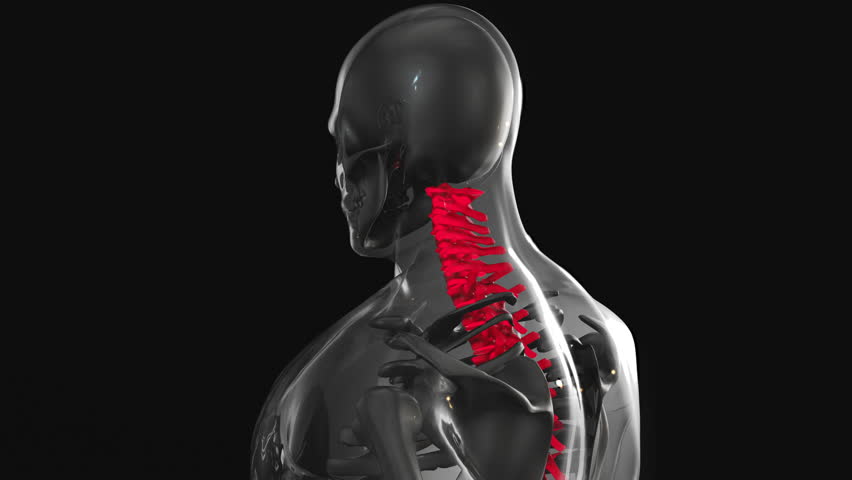
Poor posture — particularly the forward head position and rounded shoulders that many office workers adopt — creates what chiropractors refer to as subluxations, or misalignments in the spinal vertebrae. These misalignments can compress nerves, reduce blood flow, and trigger a cascade of issues including neck pain, lower back pain, headaches, and even numbness or tingling in the extremities.
A well-designed office ergonomic setup does not just improve your comfort during the workday. It actively supports spinal health and can reduce the frequency and severity of visits to a chiropractor for pain management.
Chiropractic Desk Setup Tips: Building the Right Foundation
1. Chair Height and Lumbar Support
Your chair is arguably the most important element of your workstation. Chiropractors consistently recommend investing in a high-quality, adjustable chair that provides adequate lumbar support. Here is what to look for and how to position it correctly:
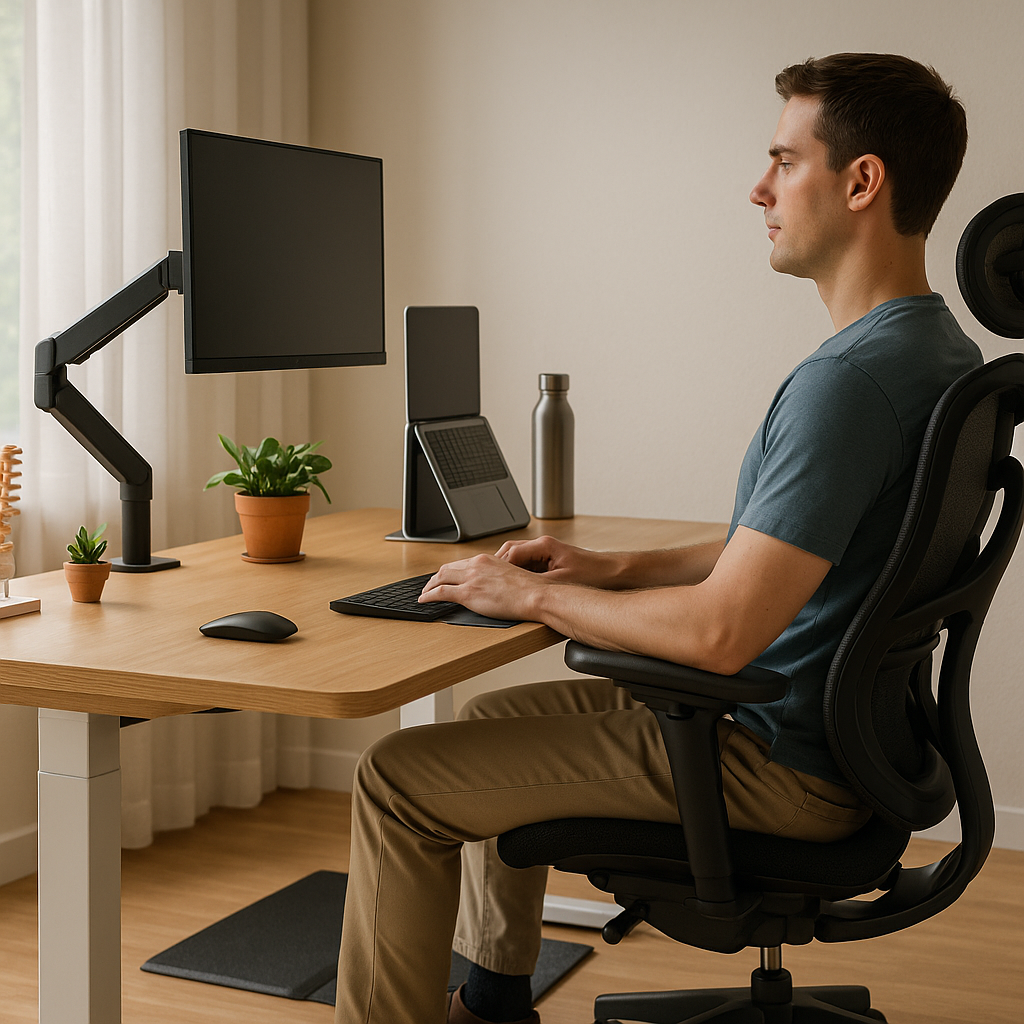
- Seat height: Adjust your chair so that your feet rest flat on the floor and your knees are bent at approximately a 90-degree angle. If your feet do not reach the floor comfortably, use a footrest.
- Lumbar support: The lower back should maintain its natural inward curve. The lumbar support on your chair should fit snugly into the small of your back, typically at the level of your beltline, to prevent the spine from collapsing forward.
- Seat depth: There should be approximately two to three inches between the back of your knees and the front edge of the seat. Seats that are too deep force you to sit forward, losing the lumbar support entirely.
- Backrest angle: A slight recline of 100 to 110 degrees is often recommended by chiropractors, as it reduces compression on the lumbar discs compared to sitting perfectly upright at 90 degrees.
2. Desk Height and Surface Area
Your desk height directly influences the position of your shoulders, arms, and neck. One of the most common chiropractic desk setup tips involves ensuring your desk is set at the correct height for your body:
- When seated, your elbows should rest at approximately desk height, forming a 90-degree angle or slightly open angle when typing.
- Avoid desks that force you to raise your shoulders or extend your arms upward, as this creates chronic tension in the trapezius and neck muscles.
- Standing desks are an excellent option recommended by many chiropractors, provided they are used correctly. Alternating between sitting and standing every 30 to 60 minutes can significantly reduce spinal load.
- If using a standing desk, ensure the surface height still allows your elbows to rest at a comfortable 90-degree angle and that you wear supportive footwear.
Monitor Positioning: Protecting Your Cervical Spine
The position of your computer monitor has a profound impact on neck health. Forward head posture — where the head juts forward from the shoulders — adds significant weight to the cervical spine. For every inch your head moves forward from its neutral position, the effective weight on the neck structures increases by approximately 10 pounds.
Chiropractors offer the following guidelines for optimal monitor placement as part of any sound workspace ergonomics strategy:
- Distance: Position your monitor at arm’s length away — approximately 20 to 28 inches from your face. If you find yourself leaning forward to read the screen, increase the font size rather than moving closer to the screen.
- Height: The top of the screen should be at or just slightly below eye level. This encourages a neutral head position rather than tilting up or down repeatedly throughout the day.
- Angle: Tilt the screen back slightly — about 10 to 20 degrees — to reduce glare and encourage a natural downward gaze.
- Dual monitors: If you use two monitors equally, position them side by side directly in front of you. If one is used more frequently, place it at center and the secondary one slightly to the side to minimize sustained rotation of the neck.
Keyboard and Mouse Placement
Repetitive strain injuries of the wrists, elbows, and shoulders are extremely common among office workers and are frequently linked to improper keyboard and mouse positioning.